Generador de prompts para Gemini

Convierte un brief o nota de referencia en un prompt de video listo para Gemini, con estructura de escena, movimiento de cámara, pistas de audio y ajustes reutilizables.

Desglose de escenasSin registro10 usos gratis al díaPrompts multi-shotCámara y audio
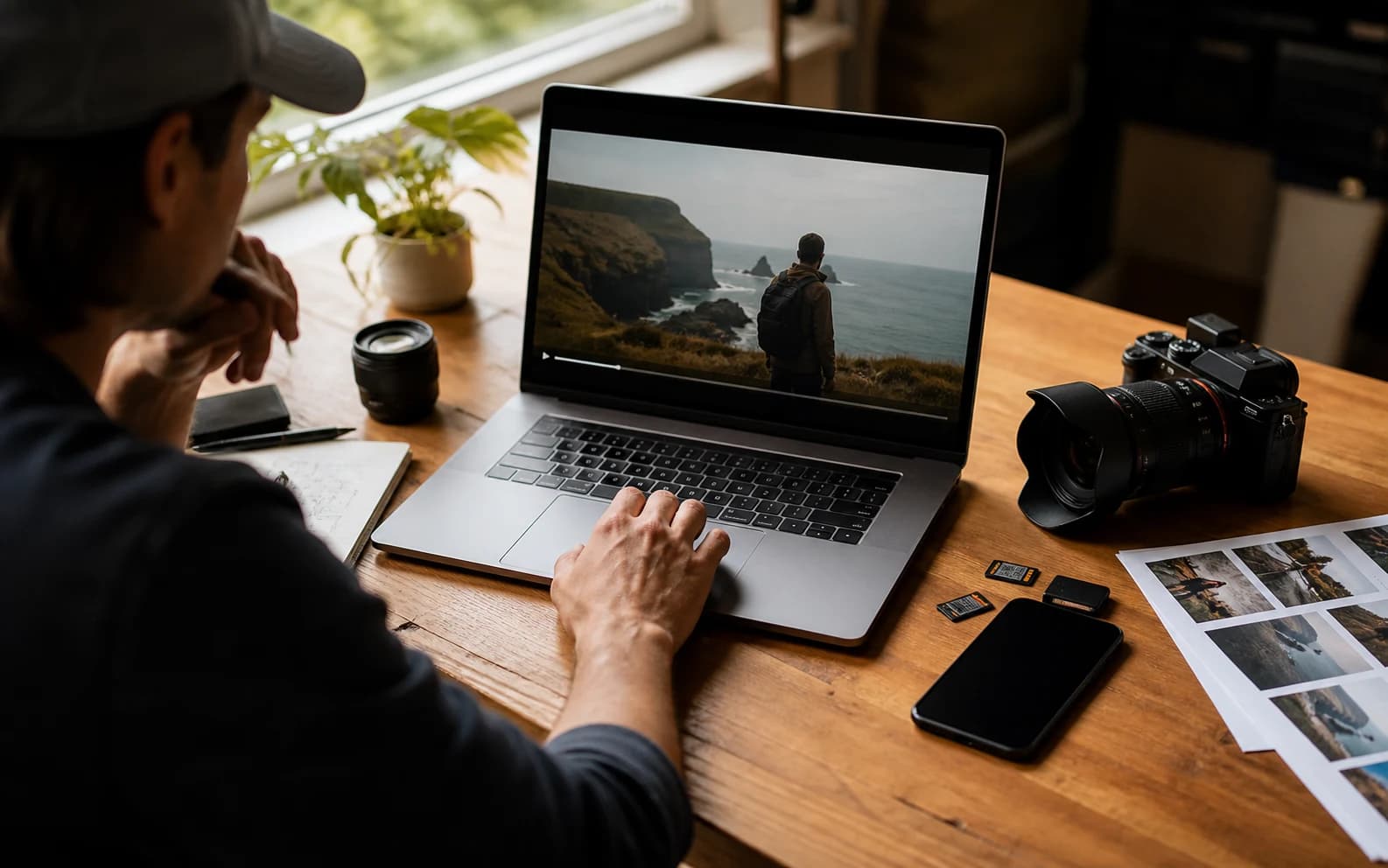
Portada realista del generador de prompts de video para Gemini

Crear prompt de video para Gemini

Incluye sujeto, acción, cámara, estilo, audio y restricciones.145 / 1000

Only use videos, links, briefs, and brand material that you own, are authorized to analyze, or can lawfully reference. Do not use generated prompts to impersonate creators, copy protected work, or misrepresent a brand.

Probar plantillas

Prompt para Gemini generado

Ejemplos de prompts de video para Gemini

Estas referencias públicas muestran cómo distintos estilos se convierten en borradores de prompt estilo Gemini.

Film de producto

Film outdoor de producto Galaxy Watch

Ver en YouTube

Prompt de video para Gemini generado

Gemini video prompt

Create an 8-second video prompt for Gemini based on this creative brief: 8-second product film for a rugged smartwatch on an active outdoor user, with close product inserts, running and cycling action, bright outdoor contrast, and a stable final hero frame.

Settings:
Aspect ratio: 9:16
Duration: 8 seconds
Scene focus: Single continuous scene with one clear subject-action arc.

Core prompt elements:
Subject: Infer the main subject from the creative brief and keep the same identity, product, place, or character consistent across the clip.
Action: Infer one clear action or transformation from the creative brief and build every beat around that action.
Style: Product commercial
Camera positioning and motion: Eye-level camera positioning with Tracking shot camera movement.
Composition: Product hero frame
Focus and lens effects: Macro lens
Ambiance: Bright outdoor contrast with premium product highlights

Creative direction:
Expand missing details only when they support the creative brief. Keep the scene focused, preserve clear motion continuity, and make every frame readable on mobile and desktop.

Shot 1:
Open inside the single scene with a strong frame that introduces the subject, setting, lighting, and immediate viewer hook.

Shot 2:
Move into the key action. Emphasize texture, gesture, pace, and the main visual transformation described or implied by the brief.

Shot 3:
End with a clean hero moment, clear composition, stable focus, and enough caption room or call-to-action space if useful.

Audio:
Dialogue: Add spoken lines only when the brief explicitly asks for dialogue; otherwise rely on visual performance and nonverbal audio cues.
SFX: Specify close, scene-specific sound effects such as product handling, footsteps, cloth movement, transitions, or interface sounds.
Ambient noise: Specify the environmental bed, room tone, crowd texture, weather, street sound, or natural background noise.

Unwanted elements:
warped hands, distorted faces, unreadable text, flicker, jump cuts, extra limbs, unstable logos, muddy lighting, over-sharpening, inconsistent product details
Film de viaje

Montaje cinematográfico de paisajes de Islandia

Ver en YouTube

Prompt de video para Gemini generado

Gemini video prompt

Create an 8-second video prompt for Gemini based on this creative brief: 8-second cinematic travel video through Iceland landscapes, with waterfalls, volcanic roads, cold mist, wide scenic scale, and slow atmospheric movement.

Settings:
Aspect ratio: 16:9
Duration: 8 seconds
Scene focus: Single continuous scene with one clear subject-action arc.

Core prompt elements:
Subject: Infer the main subject from the creative brief and keep the same identity, product, place, or character consistent across the clip.
Action: Infer one clear action or transformation from the creative brief and build every beat around that action.
Style: Cinematic realistic
Camera positioning and motion: Aerial view camera positioning with Slow pan camera movement.
Composition: Wide shot
Focus and lens effects: Wide-angle lens
Ambiance: Cool natural daylight with mist and wind texture

Creative direction:
Expand missing details only when they support the creative brief. Keep the scene focused, preserve clear motion continuity, and make every frame readable on mobile and desktop.

Shot 1:
Open inside the single scene with a strong frame that introduces the subject, setting, lighting, and immediate viewer hook.

Shot 2:
Move into the key action. Emphasize texture, gesture, pace, and the main visual transformation described or implied by the brief.

Shot 3:
End with a clean hero moment, clear composition, stable focus, and enough caption room or call-to-action space if useful.

Audio:
Dialogue: Add spoken lines only when the brief explicitly asks for dialogue; otherwise rely on visual performance and nonverbal audio cues.
SFX: Specify close, scene-specific sound effects such as product handling, footsteps, cloth movement, transitions, or interface sounds.
Ambient noise: Specify the environmental bed, room tone, crowd texture, weather, street sound, or natural background noise.

Unwanted elements:
warped hands, distorted faces, unreadable text, flicker, jump cuts, extra limbs, unstable logos, muddy lighting, over-sharpening, inconsistent product details
Lifestyle animado

Montaje de memoria impulsado por café

Ver en YouTube

Prompt de video para Gemini generado

Gemini video prompt

Create an 8-second video prompt for Gemini based on this creative brief: 8-second animated lifestyle clip where coffee triggers warm interior memory fragments, expressive character motion, cozy practical light, and playful match cuts.

Settings:
Aspect ratio: 16:9
Duration: 8 seconds
Scene focus: Single continuous scene with one clear subject-action arc.

Core prompt elements:
Subject: Infer the main subject from the creative brief and keep the same identity, product, place, or character consistent across the clip.
Action: Infer one clear action or transformation from the creative brief and build every beat around that action.
Style: Animated
Camera positioning and motion: Eye-level camera positioning with Slow push-in camera movement.
Composition: Medium shot
Focus and lens effects: Shallow focus
Ambiance: Warm practical light with cozy interior contrast

Creative direction:
Expand missing details only when they support the creative brief. Keep the scene focused, preserve clear motion continuity, and make every frame readable on mobile and desktop.

Shot 1:
Open inside the single scene with a strong frame that introduces the subject, setting, lighting, and immediate viewer hook.

Shot 2:
Move into the key action. Emphasize texture, gesture, pace, and the main visual transformation described or implied by the brief.

Shot 3:
End with a clean hero moment, clear composition, stable focus, and enough caption room or call-to-action space if useful.

Audio:
Dialogue: Add spoken lines only when the brief explicitly asks for dialogue; otherwise rely on visual performance and nonverbal audio cues.
SFX: Specify close, scene-specific sound effects such as product handling, footsteps, cloth movement, transitions, or interface sounds.
Ambient noise: Specify the environmental bed, room tone, crowd texture, weather, street sound, or natural background noise.

Unwanted elements:
warped hands, distorted faces, unreadable text, flicker, jump cuts, extra limbs, unstable logos, muddy lighting, over-sharpening, inconsistent product details
Híbrido 2D/3D

Showcase de acción en azotea con Grease Pencil

Ver en YouTube

Prompt de video para Gemini generado

Gemini video prompt

Create an 8-second video prompt for Gemini based on this creative brief: 8-second 2D and 3D hybrid action showcase with a hand-drawn hero in a dimensional rooftop space, bold silhouettes, graphic camera staging, and crisp pose-to-pose motion.

Settings:
Aspect ratio: 16:9
Duration: 8 seconds
Scene focus: Single continuous scene with one clear subject-action arc.

Core prompt elements:
Subject: Infer the main subject from the creative brief and keep the same identity, product, place, or character consistent across the clip.
Action: Infer one clear action or transformation from the creative brief and build every beat around that action.
Style: Animated
Camera positioning and motion: Low-angle camera positioning with Tracking shot camera movement.
Composition: Single subject
Focus and lens effects: Deep focus
Ambiance: Graphic cinematic light with bold shadow shapes

Creative direction:
Expand missing details only when they support the creative brief. Keep the scene focused, preserve clear motion continuity, and make every frame readable on mobile and desktop.

Shot 1:
Open inside the single scene with a strong frame that introduces the subject, setting, lighting, and immediate viewer hook.

Shot 2:
Move into the key action. Emphasize texture, gesture, pace, and the main visual transformation described or implied by the brief.

Shot 3:
End with a clean hero moment, clear composition, stable focus, and enough caption room or call-to-action space if useful.

Audio:
Dialogue: Add spoken lines only when the brief explicitly asks for dialogue; otherwise rely on visual performance and nonverbal audio cues.
SFX: Specify close, scene-specific sound effects such as product handling, footsteps, cloth movement, transitions, or interface sounds.
Ambient noise: Specify the environmental bed, room tone, crowd texture, weather, street sound, or natural background noise.

Unwanted elements:
warped hands, distorted faces, unreadable text, flicker, jump cuts, extra limbs, unstable logos, muddy lighting, over-sharpening, inconsistent product details

¿Qué es un generador de prompts para Gemini?

Convierte una idea básica en texto de prompt estructurado para flujos de video con Google AI.

Ayuda a describir sujeto, acción, escena, cámara, iluminación, estilo, audio, duración y restricciones de calidad con más claridad.

Cómo usar el generador de prompts para Gemini

1

Empieza con un brief o referencia

Describe la idea de video, notas de escena o contexto de una referencia pública.

2

Elige ajustes

Selecciona relación de aspecto, duración, estilo, cámara, composición, lente y ambiente.

3

Genera el prompt

El builder organiza tu brief en lenguaje listo para copiar en Gemini.

4

Copia o refina

Copia la salida, cambia ajustes o sigue editando el brief.

Funciones para prompts de video de Gemini

Mantén los borradores enfocados en detalles visibles y comprobables.

Estructura del prompt

Organiza briefs sueltos en sujeto, acción, escena, cámara, estilo y restricciones.

Cámara y movimiento

Añade movimiento, encuadre y dirección de shot que se pueda probar.

Pistas de audio

Incluye ambiente, diálogo, ritmo musical y efectos cuando aporta valor.

Restricciones de calidad

Añade límites contra sujetos inestables, parpadeo, texto ilegible y visuales embarrados.

¿Quién usa un generador de prompts para Gemini?

Útil para creadores, marketing, equipos de diseño y redactores de prompts que preparan flujos con Google AI.

Creadores

Boceta videos cortos desde ideas de referencia y notas de escena.

Marketing

Convierte beneficios de producto y ángulos de campaña en dirección de prompt clara.

Equipos de diseño

Alinea escena, estilo, movimiento y plano final antes de generar.

Redactores de prompts

Crea borradores reutilizables para flujos de Gemini.

Preguntas frecuentes

Respuestas sobre prompts de Gemini, resultado, carga, privacidad y uso comercial.

¿Qué hace el generador para Gemini?

Organiza briefs o notas de referencia en prompts estructurados para flujos de video de Gemini.

¿Genera el video final?

No. Solo crea texto de prompt. La generación final ocurre en tu modelo o flujo de video.

¿Puedo empezar desde una URL de video?

Usa primero Enlace a prompt o Video de YouTube a prompt y lleva el resultado al flujo de Gemini.

¿Puedo subir un video aquí?

Esta herramienta se centra en briefs y notas de referencia. Para analizar videos, usa la herramienta de video a prompt correspondiente.

¿Qué resultado obtengo?

Obtienes un prompt estructurado con escena, cámara, movimiento, estilo, audio y detalles de calidad.

¿Mi prompt es público?

No. Los prompts privados y el material de origen no se indexan ni publican salvo que los compartas.

¿Puedo usarlo comercialmente?

El texto generado se puede reutilizar, pero el uso final depende de derechos, claims, materiales fuente y términos de plataforma.

¿Por qué el prompt se siente genérico?

Añade detalles más concretos de sujeto, acción, entorno, cámara, luz, mood y plano final antes de generar.