Générateur de prompts Gemini

Transformez un brief ou une note de référence en prompt vidéo prêt pour Gemini, avec structure de scène, mouvement caméra, indications audio et réglages réutilisables.

Découpage de scèneSans inscription10 usages gratuits par jourPrompts multi-plansCaméra et audio
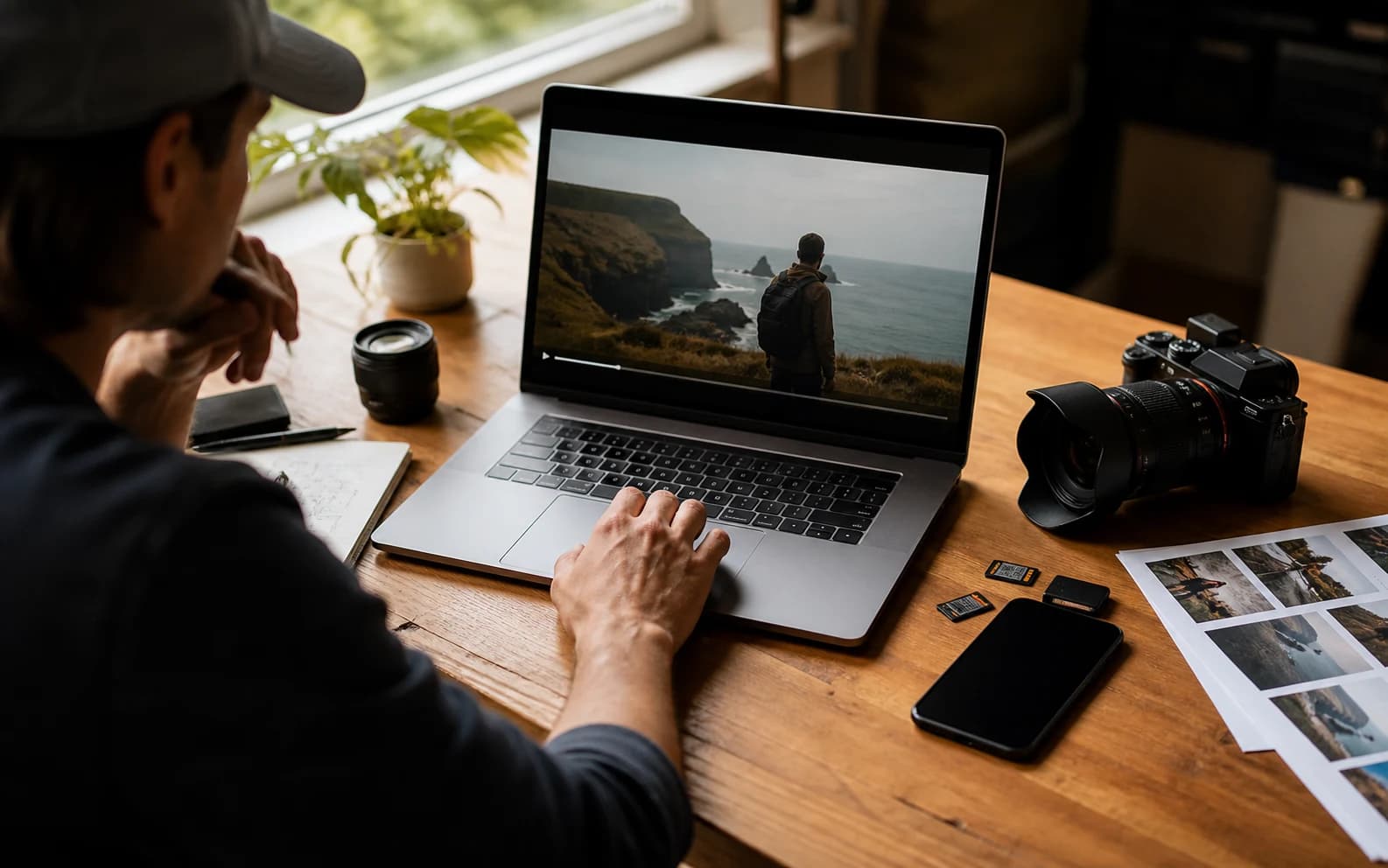
Cover réaliste du générateur de prompts vidéo Gemini

Créer un prompt vidéo Gemini

Incluez sujet, action, caméra, style, audio et contraintes.145 / 1000

Only use videos, links, briefs, and brand material that you own, are authorized to analyze, or can lawfully reference. Do not use generated prompts to impersonate creators, copy protected work, or misrepresent a brand.

Essayer des modeles

Prompt Gemini généré

Exemples de prompts video Gemini

Ces références publiques montrent comment différents styles deviennent des brouillons de prompts type Gemini.

Film produit

Film produit outdoor Galaxy Watch

Voir sur YouTube

Prompt vidéo Gemini généré

Gemini video prompt

Create an 8-second video prompt for Gemini based on this creative brief: 8-second product film for a rugged smartwatch on an active outdoor user, with close product inserts, running and cycling action, bright outdoor contrast, and a stable final hero frame.

Settings:
Aspect ratio: 9:16
Duration: 8 seconds
Scene focus: Single continuous scene with one clear subject-action arc.

Core prompt elements:
Subject: Infer the main subject from the creative brief and keep the same identity, product, place, or character consistent across the clip.
Action: Infer one clear action or transformation from the creative brief and build every beat around that action.
Style: Product commercial
Camera positioning and motion: Eye-level camera positioning with Tracking shot camera movement.
Composition: Product hero frame
Focus and lens effects: Macro lens
Ambiance: Bright outdoor contrast with premium product highlights

Creative direction:
Expand missing details only when they support the creative brief. Keep the scene focused, preserve clear motion continuity, and make every frame readable on mobile and desktop.

Shot 1:
Open inside the single scene with a strong frame that introduces the subject, setting, lighting, and immediate viewer hook.

Shot 2:
Move into the key action. Emphasize texture, gesture, pace, and the main visual transformation described or implied by the brief.

Shot 3:
End with a clean hero moment, clear composition, stable focus, and enough caption room or call-to-action space if useful.

Audio:
Dialogue: Add spoken lines only when the brief explicitly asks for dialogue; otherwise rely on visual performance and nonverbal audio cues.
SFX: Specify close, scene-specific sound effects such as product handling, footsteps, cloth movement, transitions, or interface sounds.
Ambient noise: Specify the environmental bed, room tone, crowd texture, weather, street sound, or natural background noise.

Unwanted elements:
warped hands, distorted faces, unreadable text, flicker, jump cuts, extra limbs, unstable logos, muddy lighting, over-sharpening, inconsistent product details
Film voyage

Montage paysage cinématographique en Islande

Voir sur YouTube

Prompt vidéo Gemini généré

Gemini video prompt

Create an 8-second video prompt for Gemini based on this creative brief: 8-second cinematic travel video through Iceland landscapes, with waterfalls, volcanic roads, cold mist, wide scenic scale, and slow atmospheric movement.

Settings:
Aspect ratio: 16:9
Duration: 8 seconds
Scene focus: Single continuous scene with one clear subject-action arc.

Core prompt elements:
Subject: Infer the main subject from the creative brief and keep the same identity, product, place, or character consistent across the clip.
Action: Infer one clear action or transformation from the creative brief and build every beat around that action.
Style: Cinematic realistic
Camera positioning and motion: Aerial view camera positioning with Slow pan camera movement.
Composition: Wide shot
Focus and lens effects: Wide-angle lens
Ambiance: Cool natural daylight with mist and wind texture

Creative direction:
Expand missing details only when they support the creative brief. Keep the scene focused, preserve clear motion continuity, and make every frame readable on mobile and desktop.

Shot 1:
Open inside the single scene with a strong frame that introduces the subject, setting, lighting, and immediate viewer hook.

Shot 2:
Move into the key action. Emphasize texture, gesture, pace, and the main visual transformation described or implied by the brief.

Shot 3:
End with a clean hero moment, clear composition, stable focus, and enough caption room or call-to-action space if useful.

Audio:
Dialogue: Add spoken lines only when the brief explicitly asks for dialogue; otherwise rely on visual performance and nonverbal audio cues.
SFX: Specify close, scene-specific sound effects such as product handling, footsteps, cloth movement, transitions, or interface sounds.
Ambient noise: Specify the environmental bed, room tone, crowd texture, weather, street sound, or natural background noise.

Unwanted elements:
warped hands, distorted faces, unreadable text, flicker, jump cuts, extra limbs, unstable logos, muddy lighting, over-sharpening, inconsistent product details
Lifestyle animé

Montage de souvenirs porté par le café

Voir sur YouTube

Prompt vidéo Gemini généré

Gemini video prompt

Create an 8-second video prompt for Gemini based on this creative brief: 8-second animated lifestyle clip where coffee triggers warm interior memory fragments, expressive character motion, cozy practical light, and playful match cuts.

Settings:
Aspect ratio: 16:9
Duration: 8 seconds
Scene focus: Single continuous scene with one clear subject-action arc.

Core prompt elements:
Subject: Infer the main subject from the creative brief and keep the same identity, product, place, or character consistent across the clip.
Action: Infer one clear action or transformation from the creative brief and build every beat around that action.
Style: Animated
Camera positioning and motion: Eye-level camera positioning with Slow push-in camera movement.
Composition: Medium shot
Focus and lens effects: Shallow focus
Ambiance: Warm practical light with cozy interior contrast

Creative direction:
Expand missing details only when they support the creative brief. Keep the scene focused, preserve clear motion continuity, and make every frame readable on mobile and desktop.

Shot 1:
Open inside the single scene with a strong frame that introduces the subject, setting, lighting, and immediate viewer hook.

Shot 2:
Move into the key action. Emphasize texture, gesture, pace, and the main visual transformation described or implied by the brief.

Shot 3:
End with a clean hero moment, clear composition, stable focus, and enough caption room or call-to-action space if useful.

Audio:
Dialogue: Add spoken lines only when the brief explicitly asks for dialogue; otherwise rely on visual performance and nonverbal audio cues.
SFX: Specify close, scene-specific sound effects such as product handling, footsteps, cloth movement, transitions, or interface sounds.
Ambient noise: Specify the environmental bed, room tone, crowd texture, weather, street sound, or natural background noise.

Unwanted elements:
warped hands, distorted faces, unreadable text, flicker, jump cuts, extra limbs, unstable logos, muddy lighting, over-sharpening, inconsistent product details
Hybride 2D/3D

Showcase action rooftop en Grease Pencil

Voir sur YouTube

Prompt vidéo Gemini généré

Gemini video prompt

Create an 8-second video prompt for Gemini based on this creative brief: 8-second 2D and 3D hybrid action showcase with a hand-drawn hero in a dimensional rooftop space, bold silhouettes, graphic camera staging, and crisp pose-to-pose motion.

Settings:
Aspect ratio: 16:9
Duration: 8 seconds
Scene focus: Single continuous scene with one clear subject-action arc.

Core prompt elements:
Subject: Infer the main subject from the creative brief and keep the same identity, product, place, or character consistent across the clip.
Action: Infer one clear action or transformation from the creative brief and build every beat around that action.
Style: Animated
Camera positioning and motion: Low-angle camera positioning with Tracking shot camera movement.
Composition: Single subject
Focus and lens effects: Deep focus
Ambiance: Graphic cinematic light with bold shadow shapes

Creative direction:
Expand missing details only when they support the creative brief. Keep the scene focused, preserve clear motion continuity, and make every frame readable on mobile and desktop.

Shot 1:
Open inside the single scene with a strong frame that introduces the subject, setting, lighting, and immediate viewer hook.

Shot 2:
Move into the key action. Emphasize texture, gesture, pace, and the main visual transformation described or implied by the brief.

Shot 3:
End with a clean hero moment, clear composition, stable focus, and enough caption room or call-to-action space if useful.

Audio:
Dialogue: Add spoken lines only when the brief explicitly asks for dialogue; otherwise rely on visual performance and nonverbal audio cues.
SFX: Specify close, scene-specific sound effects such as product handling, footsteps, cloth movement, transitions, or interface sounds.
Ambient noise: Specify the environmental bed, room tone, crowd texture, weather, street sound, or natural background noise.

Unwanted elements:
warped hands, distorted faces, unreadable text, flicker, jump cuts, extra limbs, unstable logos, muddy lighting, over-sharpening, inconsistent product details

Qu’est-ce qu’un générateur de prompts vidéo Gemini ?

Il transforme une idée brute en texte de prompt structuré pour les workflows vidéo Google AI.

Il aide à décrire plus clairement sujet, action, scène, caméra, lumière, style, audio, durée et contraintes qualité.

Comment utiliser le générateur de prompts Gemini

1

Commencez par un brief ou une référence

Décrivez l’idée vidéo, les notes de scène ou le contexte d’une référence publique.

2

Choisissez les réglages

Sélectionnez ratio, durée, style, caméra, composition, focale et ambiance.

3

Générez le prompt

Le builder organise votre brief en langage de prompt Gemini prêt à copier.

4

Copiez ou affinez

Copiez la sortie, changez les réglages ou continuez à éditer le brief.

Fonctions pour prompts vidéo Gemini

Gardez les brouillons Gemini centrés sur des détails vidéo visibles et testables.

Structure du prompt

Organise des briefs lâches en sujet, action, scène, caméra, style et contraintes.

Caméra et mouvement

Ajoute mouvement, cadrage et direction de plan testables.

Indications audio

Inclut ambiance, dialogue, rythme musical et effets lorsque c’est utile.

Contraintes qualité

Ajoute des limites contre sujets instables, scintillement, texte illisible et images boueuses.

Qui utilise un générateur de prompts Gemini ?

Utile pour créateurs, marketing, équipes design et rédacteurs de prompts préparant des workflows Google AI.

Créateurs

Esquissez des vidéos courtes depuis des idées de référence et notes de scène.

Marketing

Transformez bénéfices produit et angles de campagne en direction de prompt claire.

Équipes design

Alignez scène, style, mouvement et plan final avant génération.

Rédacteurs de prompts

Créez des brouillons de prompts réutilisables pour workflows Gemini.

Questions fréquentes

Réponses sur prompts Gemini, résultat, upload, confidentialité et usage commercial.

Que fait le générateur Gemini ?

Il organise briefs ou notes de référence en prompts structurés pour workflows vidéo Gemini.

Génère-t-il la vidéo finale ?

Non. Il crée uniquement du texte de prompt. La génération finale se fait dans votre modèle ou workflow vidéo.

Puis-je partir d’une URL vidéo ?

Utilisez d’abord Lien vers prompt ou Vidéo YouTube vers prompt, puis reprenez le résultat dans Gemini.

Puis-je téléverser une vidéo ici ?

Cet outil est centré sur briefs et notes de référence. Pour analyser une vidéo, utilisez l’outil vidéo vers prompt correspondant.

Quel résultat vais-je obtenir ?

Un prompt structuré avec scène, caméra, mouvement, style, audio et détails qualité.

Mon prompt est-il public ?

Non. Les prompts privés et médias sources restent privés sauf si vous les partagez.

Puis-je utiliser le prompt commercialement ?

Le texte généré peut être réutilisé, mais l’usage final dépend des droits, claims, sources et conditions de plateforme.

Pourquoi mon prompt semble-t-il générique ?

Ajoutez avant génération plus de détails sur sujet, action, décor, caméra, lumière, mood et plan final.