Veo 3 提示词生成器

把想法、场景笔记或粗略提示词转换成结构化 Veo 3 提示词,包含运镜、主体动作、视觉风格、音频提示、时长、负面约束和可选 JSON 输出,方便直接复制到 Veo 工作流并继续调整。

Veo 3 提示词生成无需注册每日 10 次免费分镜拆解
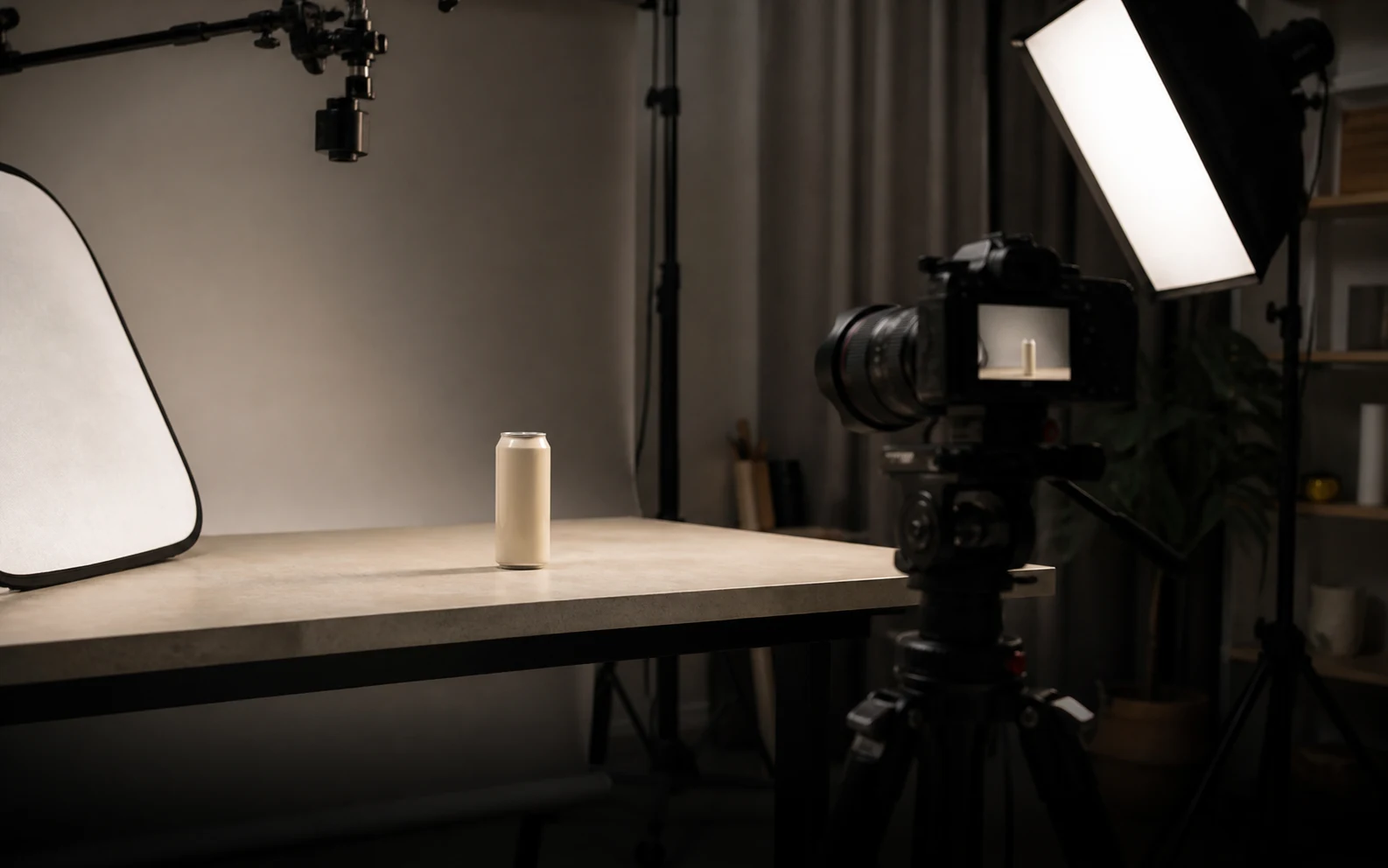
Veo 3 提示词生成器的写实产品视频拍摄封面

生成 Veo 3 提示词

尽量包含主体、动作、风格、镜头、音频和已知约束。45 / 1200

Only use videos, links, briefs, and brand material that you own, are authorized to analyze, or can lawfully reference. Do not use generated prompts to impersonate creators, copy protected work, or misrepresent a brand.

试试 Veo 3 提示词示例

生成的 Veo 3 提示词

Veo 3 提示词示例与结果

这些示例展示在你输入自己的想法前,生成器可以产出什么。它们是公开示例,不是用户私人输出。

品牌英雄片

AirPods Pro 3 产品发布参考

精致产品发布参考会转换成 Veo 3 提示词,包含清晰产品细节、快节奏生活方式能量、干净品牌构图和最终英雄画面。

在 YouTube 观看

生成的 Veo 3 提示词

Veo 3 video prompt

Create an 8-second video prompt for Veo 3 based on this creative brief: 8-second brand hero film for AirPods Pro 3, with sleek white product close-ups, active lifestyle movement, clean Apple-style staging, premium highlights, synchronized sound cues, and a stable final product reveal.

Settings:
Aspect ratio: 16:9
Duration: 8 seconds
Scene focus: Single continuous scene with one clear subject-action arc.
Reference URL: https://www.youtube.com/watch?v=sjiU1kWgpJ8

Core prompt elements:
Subject: Infer the main subject from the creative brief and keep the same identity, product, place, or character consistent across the clip.
Action: Infer one clear action or transformation from the creative brief and build every beat around that action.
Style: Product commercial
Camera positioning and motion: Eye-level camera positioning with Tracking shot camera movement.
Composition: Product hero frame
Focus and lens effects: Macro lens
Ambiance: Bright studio

Creative direction:
Expand missing details only when they support the creative brief. Keep the scene focused, preserve clear motion continuity, and make every frame readable on mobile and desktop.

Shot 1:
Open inside the single scene with a strong frame that introduces the subject, setting, lighting, and immediate viewer hook.

Shot 2:
Move into the key action. Emphasize texture, gesture, pace, and the main visual transformation described or implied by the brief.

Shot 3:
End with a clean hero moment, clear composition, stable focus, and enough caption room or call-to-action space if useful.

Audio:
Dialogue: Add spoken lines only when the brief explicitly asks for dialogue; otherwise rely on visual performance and nonverbal audio cues.
SFX: Specify close, scene-specific sound effects such as product handling, footsteps, cloth movement, transitions, or interface sounds.
Ambient noise: Specify the environmental bed, room tone, crowd texture, weather, street sound, or natural background noise.

Unwanted elements:
warped hands, distorted faces, unreadable text, flicker, jump cuts, extra limbs, unstable logos, muddy lighting, over-sharpening, inconsistent product details
UGC

高表现 UGC 广告参考

创作者广告参考会转换成竖屏 Veo 3 提示词,包含快速钩子、手持构图、产品证明、自然表达和适合字幕的构图。

在 YouTube 观看

生成的 Veo 3 提示词

Veo 3 video prompt

Create an 8-second video prompt for Veo 3 based on this creative brief: 8-second vertical UGC product ad with a creator speaking directly to camera, fast first-line hook, casual handheld phone framing, quick product close-up, authentic reaction, natural room tone, and a simple final callout.

Settings:
Aspect ratio: 9:16
Duration: 8 seconds
Scene focus: Single continuous scene with one clear subject-action arc.
Reference URL: https://www.youtube.com/watch?v=uZAzQbJnN68

Core prompt elements:
Subject: Infer the main subject from the creative brief and keep the same identity, product, place, or character consistent across the clip.
Action: Infer one clear action or transformation from the creative brief and build every beat around that action.
Style: UGC handheld
Camera positioning and motion: Eye-level camera positioning with Handheld camera movement.
Composition: Single subject
Focus and lens effects: Shallow focus
Ambiance: Warm natural light

Creative direction:
Expand missing details only when they support the creative brief. Keep the scene focused, preserve clear motion continuity, and make every frame readable on mobile and desktop.

Shot 1:
Open inside the single scene with a strong frame that introduces the subject, setting, lighting, and immediate viewer hook.

Shot 2:
Move into the key action. Emphasize texture, gesture, pace, and the main visual transformation described or implied by the brief.

Shot 3:
End with a clean hero moment, clear composition, stable focus, and enough caption room or call-to-action space if useful.

Audio:
Dialogue: Add spoken lines only when the brief explicitly asks for dialogue; otherwise rely on visual performance and nonverbal audio cues.
SFX: Specify close, scene-specific sound effects such as product handling, footsteps, cloth movement, transitions, or interface sounds.
Ambient noise: Specify the environmental bed, room tone, crowd texture, weather, street sound, or natural background noise.

Unwanted elements:
warped hands, distorted faces, unreadable text, flicker, jump cuts, extra limbs, unstable logos, muddy lighting, over-sharpening, inconsistent product details
3D 动画

Big Buck Bunny 3D 动画参考

3D 动画短片参考会转换成 Veo 3 提示词,包含有表现力的角色动作、清晰森林调度、明亮风格化光线和轻松动作节拍。

在 YouTube 观看

生成的 Veo 3 提示词

Veo 3 video prompt

Create an 8-second video prompt for Veo 3 based on this creative brief: 8-second 3D animated forest scene inspired by Big Buck Bunny, with a gentle oversized rabbit, colorful woodland setting, expressive character timing, playful physical comedy, bright daylight, and a clean animated final pose.

Settings:
Aspect ratio: 16:9
Duration: 8 seconds
Scene focus: Single continuous scene with one clear subject-action arc.
Reference URL: https://www.youtube.com/watch?v=aqz-KE-bpKQ

Core prompt elements:
Subject: Infer the main subject from the creative brief and keep the same identity, product, place, or character consistent across the clip.
Action: Infer one clear action or transformation from the creative brief and build every beat around that action.
Style: Animated
Camera positioning and motion: Eye-level camera positioning with Slow push-in camera movement.
Composition: Wide shot
Focus and lens effects: Deep focus
Ambiance: Golden hour

Creative direction:
Expand missing details only when they support the creative brief. Keep the scene focused, preserve clear motion continuity, and make every frame readable on mobile and desktop.

Shot 1:
Open inside the single scene with a strong frame that introduces the subject, setting, lighting, and immediate viewer hook.

Shot 2:
Move into the key action. Emphasize texture, gesture, pace, and the main visual transformation described or implied by the brief.

Shot 3:
End with a clean hero moment, clear composition, stable focus, and enough caption room or call-to-action space if useful.

Audio:
Dialogue: Add spoken lines only when the brief explicitly asks for dialogue; otherwise rely on visual performance and nonverbal audio cues.
SFX: Specify close, scene-specific sound effects such as product handling, footsteps, cloth movement, transitions, or interface sounds.
Ambient noise: Specify the environmental bed, room tone, crowd texture, weather, street sound, or natural background noise.

Unwanted elements:
warped hands, distorted faces, unreadable text, flicker, jump cuts, extra limbs, unstable logos, muddy lighting, over-sharpening, inconsistent product details
AI 剧情

The Butterfly AI 剧情参考

AI 故事参考会转换成 Veo 3 剧情提示词,包含蝴蝶意象、情绪特写、氛围化环境、电影节奏和克制对白提示。

在 YouTube 观看

生成的 Veo 3 提示词

Veo 3 video prompt

Create an 8-second video prompt for Veo 3 based on this creative brief: 8-second cinematic AI drama scene with a lone character encountering a glowing butterfly, emotional close-up, slow reveal, soft atmospheric particles, restrained dialogue or breath, and a poetic final frame.

Settings:
Aspect ratio: 16:9
Duration: 8 seconds
Scene focus: Single continuous scene with one clear subject-action arc.
Reference URL: https://www.youtube.com/watch?v=Afs16GbFgfw

Core prompt elements:
Subject: Infer the main subject from the creative brief and keep the same identity, product, place, or character consistent across the clip.
Action: Infer one clear action or transformation from the creative brief and build every beat around that action.
Style: Cinematic realistic
Camera positioning and motion: Eye-level camera positioning with Dolly shot camera movement.
Composition: Close-up
Focus and lens effects: Shallow focus
Ambiance: Moody cinematic

Creative direction:
Expand missing details only when they support the creative brief. Keep the scene focused, preserve clear motion continuity, and make every frame readable on mobile and desktop.

Shot 1:
Open inside the single scene with a strong frame that introduces the subject, setting, lighting, and immediate viewer hook.

Shot 2:
Move into the key action. Emphasize texture, gesture, pace, and the main visual transformation described or implied by the brief.

Shot 3:
End with a clean hero moment, clear composition, stable focus, and enough caption room or call-to-action space if useful.

Audio:
Dialogue: Add spoken lines only when the brief explicitly asks for dialogue; otherwise rely on visual performance and nonverbal audio cues.
SFX: Specify close, scene-specific sound effects such as product handling, footsteps, cloth movement, transitions, or interface sounds.
Ambient noise: Specify the environmental bed, room tone, crowd texture, weather, street sound, or natural background noise.

Unwanted elements:
warped hands, distorted faces, unreadable text, flicker, jump cuts, extra limbs, unstable logos, muddy lighting, over-sharpening, inconsistent product details

什么是 Veo 3 提示词生成器?

Veo 3 提示词生成器会把粗略视频想法转换成结构化提示词,更容易测试、复制和优化。

你可以把它当作 Veo 3 prompt builder、Veo 提示词生成器或 Veo3 JSON 提示词生成器使用。它只生成提示词文本。

如何使用 Veo 3 提示词生成器

1

描述视频

粘贴你的想法、粗略 Veo 提示词、场景笔记或公开参考 URL。

2

选择 Veo 设置

选择画幅、时长、输出格式、视觉风格、运镜、音频方向和质量约束。

3

生成提示词

生成器会把 brief 整理成场景方向、镜头笔记、音频提示、分镜节拍和 JSON 字段。

4

复制、下载或优化

复制提示词,下载 TXT 或 JSON,调整源 brief,或继续优化。

生成更强 Veo 3 提示词的功能

生成器会让输出聚焦于视频控制:场景、运动、镜头、光线、音频、时长、格式和质量约束。

场景结构

把松散视频想法整理成开场画面、主要动作、最终画面和连续性规则。

镜头方向

补充镜头类型、运镜、构图、对焦和动作说明,让提示词描述可见动作。

音频指导

支持环境声、对白、音效、音乐节奏和时间点提示。

Veo3 JSON 提示词输出

导出结构化字段,方便提示词库、团队评审和可复现测试。

质量约束

可加入负面提示,控制身份漂移、闪烁、文字不稳、光线浑浊和音画不同步。

快速优化

在标准提示词、JSON 提示词和分镜拆解之间切换,不必重写整个想法。

谁会使用 Veo 3 提示词生成器?

适合把粗略想法、客户 brief、社交视频概念或提示词库需求整理成 Veo 3 方向。

创作者

从空白输入框之外快速起草竖屏短片、旅行 Reel、产品钩子和社交创意。

营销人员

把活动角度、产品卖点、受众笔记和 CTA 想法转换成更清晰的视频提示词。

影像创作者

把情绪、运镜、调度、光线、声音和故事节拍转换成简洁的 Veo 3 提示词语言。

代理机构

为客户评审、创意测试和提示词库交付准备一致的提示词草稿。

提示词工程师

比较普通提示词、Veo3 JSON 提示词和逐镜头格式,支持可复现测试。

标准提示词、分镜拆解或 Veo3 JSON 提示词

短视频提示词通常需要明确时长、画幅、镜头和音频说明。这个生成器保留 4、6、8 秒选项,方便 Veo 3.1 风格起草。

FormatBest forOutput
标准提示词快速起草一段可直接复制的提示词,包含场景、镜头、风格、音频和约束。
JSON 提示词结构化工作流可编辑字段,覆盖 brief、画幅、时长、镜头、音频、分镜和约束。
分镜拆解创意评审三个清晰节拍:建立、发展、收束,并包含连续性和音频笔记。

常见问题

关于 Veo 3 提示词、JSON 输出、时长、隐私和结果质量的实用回答。

Veo 3 提示词生成器做什么?

它会把粗略视频想法转换成结构化 Veo 3 提示词,包含场景、主体、动作、镜头、风格、音频、时长和负面提示。

可以生成 Veo3 JSON 提示词吗?

可以。选择 JSON 提示词后,会得到场景、镜头、运动、光线、音频、画幅、时长和约束等可编辑字段。

这个工具会生成最终视频吗?

不会。它只生成 Veo 3 工作流使用的提示词文本。最终视频需要在你使用的视频生成产品中完成。

Veo 3.1 应该选择多长时长?

短片工作流常用 4、6、8 秒。若要生成更长视频,请先确认你的视频产品当前限制。

可以使用参考 URL 或上传素材吗?

你可以添加公开参考 URL 或参考文件名作为上下文。若需要更深入的视频拆解,请使用主 Video to Prompt 工具。

Veo 3 提示词生成器免费吗?

当免费额度限制生效时,页面生成器会在生成前显示当前用量限制。

为什么生成结果太泛?

请补充更具体的主体、动作、场景、运镜、光线、情绪、对白、声音和最终画面细节。

提示词可以商用吗?

生成文本可以使用,但最终商用取决于你对源素材、品牌、肖像、音乐、产品声明和平台条款的权利。